Apply Color Presets
As the name suggests, Color Presets consist of predefined sets of values experimentally determined to visualize specific tissues and organs in CT and MRI Images. Many of the presets are named according to the regions of the human body that they are defined to visualize.
A good start to get a general view of your dataset would be the CT-AAA or MRI-Default presets. Select either from the 'Color Preset' menu for a quick volume render. CT-AAA has been applied in the example below.
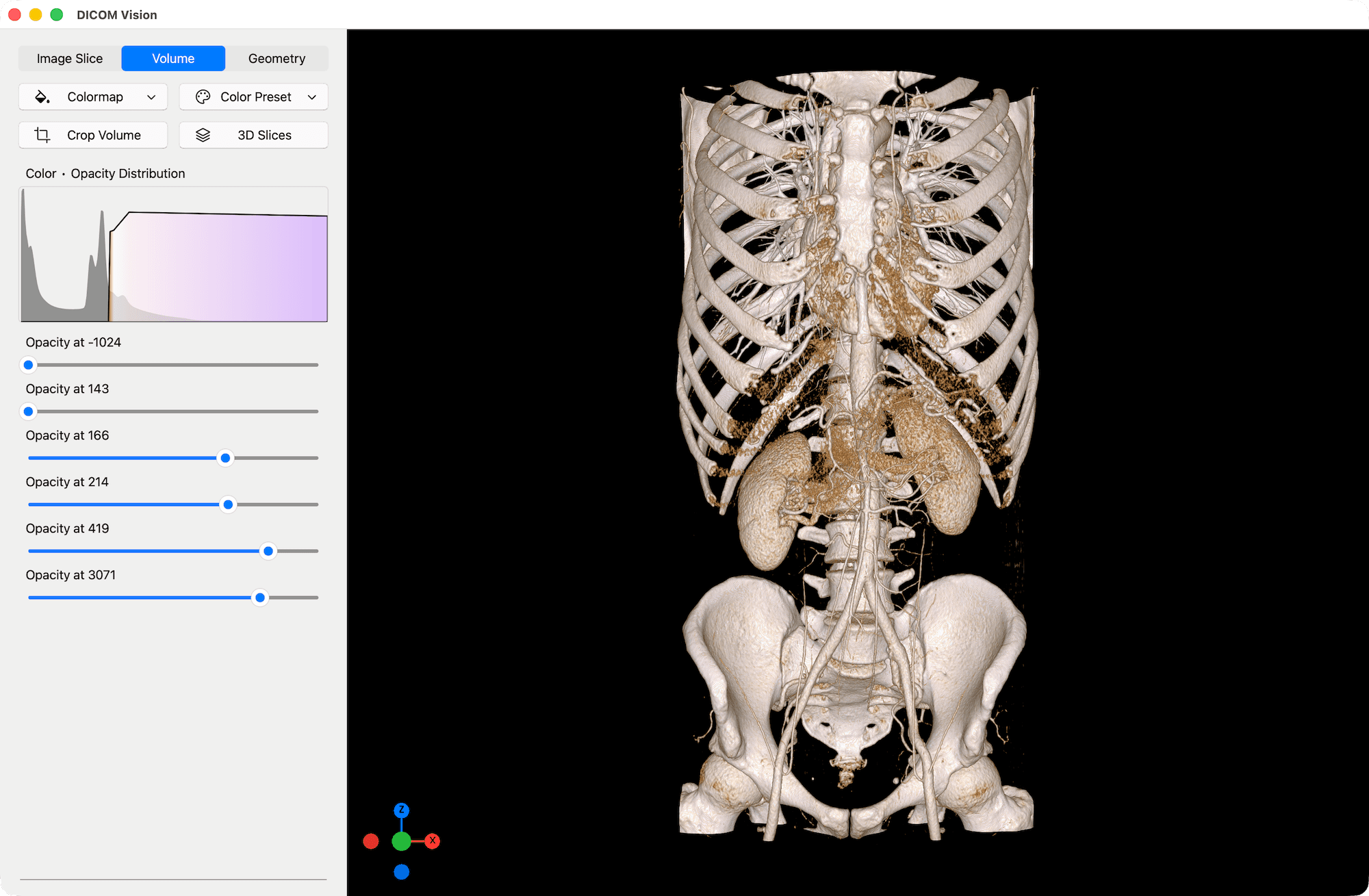
Once a preset is applied, it is also displayed as a graph in the 'Color • Opacity Distribution' chart, found in the Tools Panel.
Customization
Customization of the Color Presets is limited to the opacity at each pre-defined point. Use the sliders below the chart to increase or decrease the opacity at these pre-defined points. The result will be calculated and displayed in real-time.
Advantages & Disadvantages
The ability to adjust the opacity values gives the Color Presets some versatility. However, the main advantage of the Presets over the Volumetric Colormaps in volume visualization, is speed. The Presets are best suited for quick visualization, where you don't want to spend too much time working on refining a volume render.
The main disadvantage of the Color Presets is that due to their values being pre-defined, if any values in your CT or MRI dataset significantly deviate from the norm, the resulting render may not come out as expected. This is where the Scientific Colormaps shine. As the colormap is applied dynamically to any dataset, of any range of values, it is flexible and can be precisely controlled to produce a great result irrespective of the data.